In 2026 the CGM apps worth knowing fall into four groups. The sensor makers’ own apps (Dexcom G7 and Dexcom Follow, FreeStyle Libre 3 and LibreLinkUp). Independent companion apps that read your existing sensor data (Sugar Sense, Gluroo, Sugarmate, Happy Bob, Sweet Dreams, xDrip+, Nightscout). Logbook and coaching apps (mySugr, Glucose Buddy, Diabetes:M). And wellness CGM subscriptions (Levels, Nutrisense, Signos), which are aimed at people who do not use insulin.
One nuance decides most of this: the manufacturer app is the only one legally allowed to drive your sensor and its primary alarms. Everything else reads a copy of that data, usually through the cloud, a short delay behind. So you are not picking a replacement. You are picking what sits on top.
Quick map: Start with the app your sensor requires, then add one companion app for the thing it does badly: family sharing, a watch face, a better graph, smarter alerts. Almost nobody needs more than two.
On this page
The four kinds of CGM apps, and what each one is actually for
Every CGM app on the App Store fits one of four jobs: driving the sensor, mirroring the data somewhere more useful, logging what you did about it, or selling lifestyle insight to people who do not have diabetes. Mixing these up is where money gets wasted.
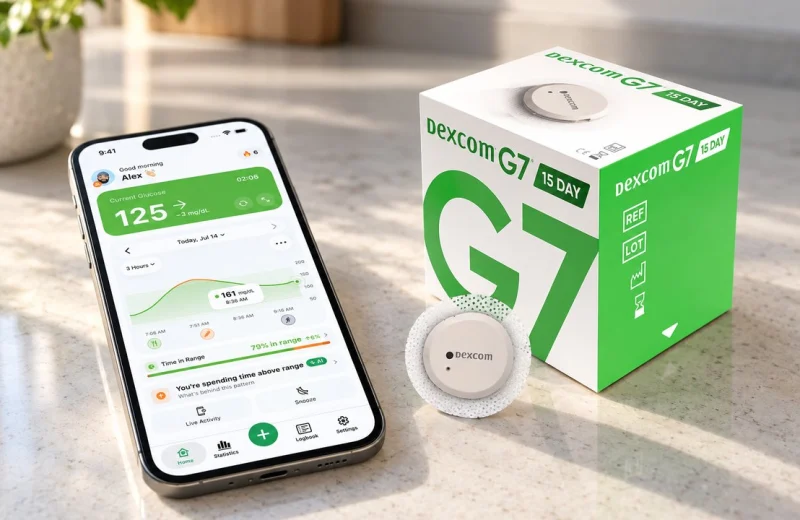
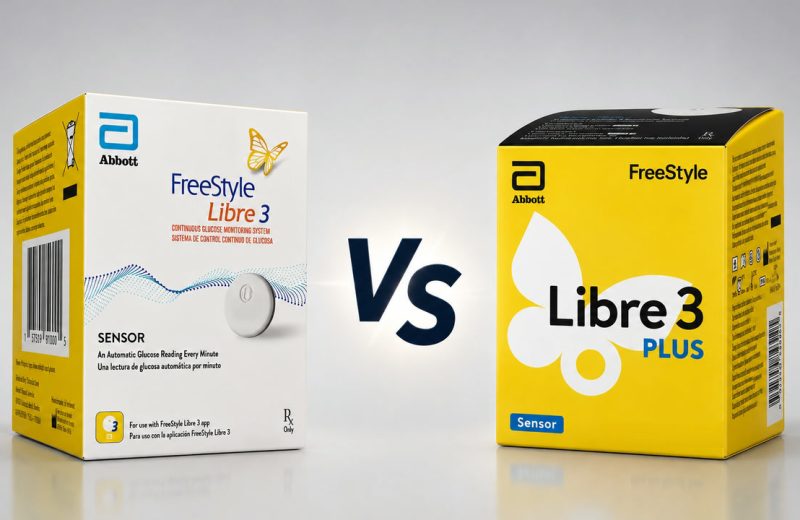
Sensor maker apps pair with the sensor over Bluetooth, start and stop sessions, handle calibration where the system allows it (Dexcom G7 offers an optional one, Libre sensors are calibrated at the factory), and fire the alarms the FDA cleared. FreeStyle Libre 3 and Libre 3 Plus use the FreeStyle Libre 3 app, and in the US the newer Libre by Abbott app has become the primary app for the whole Libre 2 and Libre 3 range. Dexcom G7 uses the Dexcom G7 app. These are the source of truth. That US Libre app also adds an Apple Watch app and Libre Assist, an AI estimate of how a meal will affect your glucose, so the line between sensor app and companion app is starting to blur.
Independent companion apps do not touch the sensor. They pull your readings from LibreLinkUp, Dexcom Share or your own Nightscout site and re-display them: on a watch face, a widget, a shared family screen, a friendlier chart. Delay is typically a minute or two behind the phone that holds the sensor connection, sometimes more on a weak network.
Logbook and coaching apps care less about the live number and more about what surrounds it. Food logging, activity, weight, reports you can hand to a clinician. Some import CGM data too, which blurs the line, but their center of gravity is the record.
Wellness CGM subscriptions bundle a sensor, an app and coaching for people tracking metabolic health rather than treating diabetes. They are usually the most expensive thing on this list and the least suited to insulin users.
Which CGM apps work with both Libre and Dexcom?
Only a handful of diabetes apps read both, and they all do it through the sharing services rather than the sensor itself: LibreLinkUp for Abbott, Dexcom Share for Dexcom. Sugar Sense, Gluroo and Nightscout (via uploader bridges) cover both ecosystems. Sugarmate reads Dexcom, or a Nightscout site, but not Libre. xDrip+ is Android with its own sensor-specific setup.
This matters more than it sounds. People switch sensors. A supply gap, an insurance change, a trial of the other brand, and suddenly the app you built your habits around shows nothing. A brand-neutral companion app survives that switch. The manufacturer app, by definition, does not.
Then there is the household case: one person on Libre, another on Dexcom, one caregiver who wants both on one screen. Only the independent apps solve that.
| App | Libre | Dexcom | Nightscout | Beyond the phone | Core cost |
|---|---|---|---|---|---|
| Libre 3 / LibreLinkUp | Yes | No | No | Apple Watch (in the US Libre app) | Free |
| Dexcom G7 / Follow | No | Yes | No | Apple Watch, Wear OS, Garmin | Free |
| Sugar Sense | Via LibreLinkUp | Via Share | Yes | Apple Watch, Wear OS, Garmin, Mac menu bar, Windows tray, browser extension, Alexa, web dashboard | Free core |
| Gluroo | Yes | Yes | Yes | Apple Watch, Wear OS, web dashboard | Free |
| Sugarmate | No | Yes | Yes | Apple Watch and CarPlay via its Calendar integration | Free |
| xDrip+ (Android) | Yes | Yes | Yes | Wear OS, Garmin via the community data field | Free, open source |
One caveat on the table. Sharing services have to be switched on before any companion app can see anything. On Abbott’s side the sensor owner invites a connection in the Libre app and the follower accepts in LibreLinkUp. On Dexcom’s side, Share has to be enabled and the phone holding the sensor needs an internet connection, because the readings travel to Dexcom’s servers and back down. If you are still choosing between the two sensor platforms, the differences in Libre 3 Plus vs Dexcom G7 go well beyond the apps.
Which apps let a parent or partner follow glucose for free?
Free followers exist in both manufacturer ecosystems and in several independent apps. Dexcom Follow allows up to 10 followers at no cost, LibreLinkUp allows up to 20 connections, and Sugar Sense, Gluroo and Nightscout all let family members watch without paying for the basic view.
The differences show up in the details. And the details are what wake someone at 3am.
- Dexcom Follow gives each follower their own alert thresholds and delay settings, separate from the wearer’s. It is the cleanest official option for Dexcom families.
- LibreLinkUp lets a follower set their own low and high notification levels, with urgent low fixed at 55 mg/dL (3.1 mmol/L), and it only shows data while the wearer’s phone is uploading. If the Libre app is closed or offline, the stream pauses.
- Independent companion apps add things the official followers skip: multiple people on one screen, an alert that fires on the follower’s phone even when the wearer’s alarm was dismissed, or a watch complication for the parent.
- Nightscout is the most flexible and the least convenient. Your own database, your own web page, any number of viewers, but you maintain it.
A school day makes the trade-off concrete. A child’s phone sits in a locker, the sensor keeps reading, but nothing reaches the cloud until the phone is back in Bluetooth range. Every follower app, official or independent, goes quiet in that gap. None of them can invent data. That is a property of the sharing chain, not a flaw in any one app. Our longer walkthrough of remote glucose monitoring for caregivers covers how to set expectations around those gaps.
Watch support: Apple Watch, Wear OS and Garmin
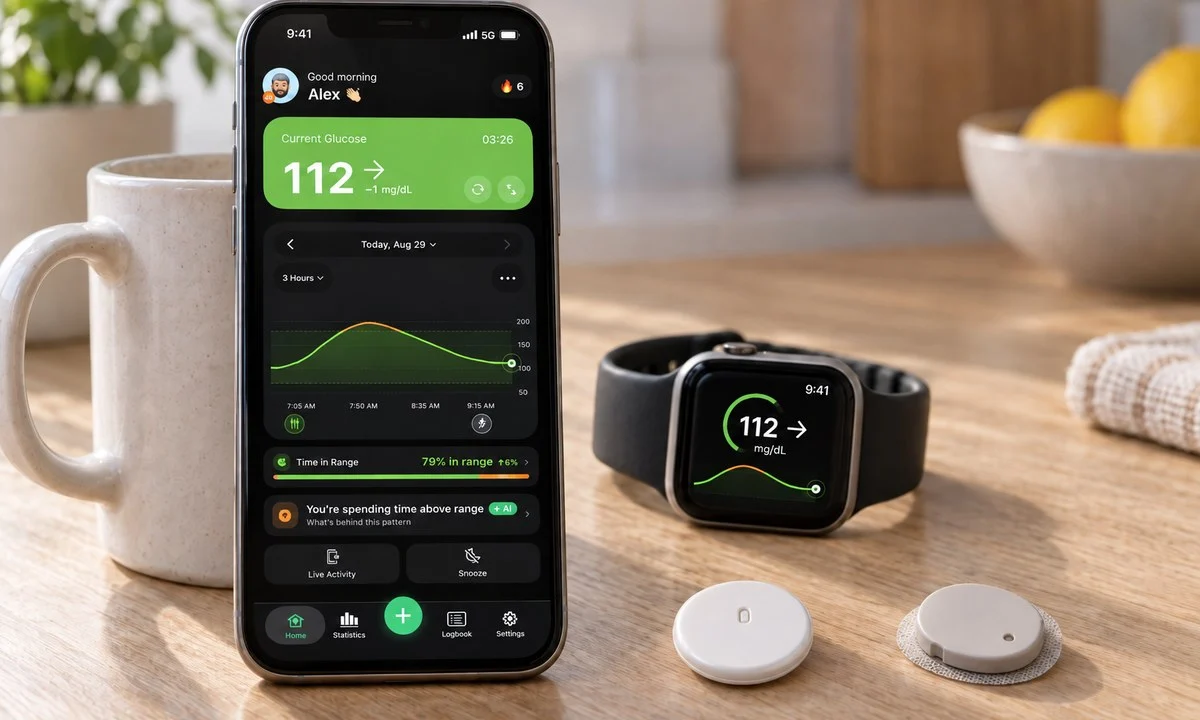
Apple Watch has the widest CGM app support in 2026, even though the watch itself still cannot measure blood sugar. Dexcom G7, the US Libre app, Sugar Sense, Gluroo and Happy Bob all offer a watch app or complication, and Sugarmate gets there through a Calendar trick. Wear OS support is thinner and comes from Dexcom, Sugar Sense, Gluroo, xDrip+ and Nightscout clients. On Garmin, the Dexcom widget and data field (built by Garmin with Dexcom) cover G6 and G7 with the phone nearby, Abbott has nothing official, Sugar Sense’s Connect IQ widget, data field and watch face cover both brands, and Nightscout-based data fields remain the DIY route.
Two things trip people up. First, a complication is not the same as an app: the complication is the tiny live number on your watch face, and that is the one you will actually look at forty times a day. Second, watch data usually routes through the phone, so a watch showing a stale number is normally a phone or network problem.
Battery cost is real but often overstated on larger watches. A glucose complication that updates every five minutes is a light load compared with GPS or always-on workouts, though smaller models feel it more. For setup details per brand, we wrote a full guide on how to see your CGM on Apple Watch.
Direct-to-watch is the feature to look for. Dexcom G7 can connect straight to an Apple Watch after an initial pairing, in the US, UK, Ireland, Canada, Australia, New Zealand and many European markets, which means the number keeps updating if you leave your phone behind. Most other setups still need the phone nearby.
Is there a Nightscout app, and who should bother?
Nightscout is not an app you install from a store. It is open-source software you host yourself, and it displays your glucose on a web page. Several native apps read from it, including Sugar Sense, Nightguard, Gluroo, Sugarmate and xDrip+, and the project’s own documentation lives at nightscout.github.io.
People still choose it for good reasons. It accepts data from almost any source, including older sensors and automated insulin delivery systems. It can put glucose on a Garmin watch, an old Pebble, a web dashboard in a classroom. No vendor decides what you may see.
The cost is your time. You need a hosting provider, a database, an uploader on the wearer’s phone, and the willingness to fix it when a free hosting tier changes its rules. If that sounds tiring rather than fun, a hosted companion app will serve you better. Our Nightscout setup and troubleshooting notes give a realistic sense of the maintenance involved.
Where Nightscout shines is the mixed household or the unusual device. Where it loses is reliability under neglect, and alarms depend on whatever client you point at it.
What is free, what needs a subscription, and where your money goes
The live number and basic sharing are free almost everywhere. Dexcom G7, Dexcom Follow, Libre 3, LibreLinkUp, Sugarmate, Gluroo and the free tier of Sugar Sense cost nothing. Subscriptions start when you want coaching, unlimited history, advanced reports, or a sensor included in the price.
One disclosure before the money talk: Sugar Sense is our app, so read this paragraph as the maker speaking. Its free tier shows real-time glucose from Libre, Dexcom or Nightscout on iPhone and Android, with alerts, Care Circle sharing for family, a web dashboard, a browser extension, a Mac menu bar and Windows tray app, and an Alexa skill. The paid tier adds the Apple Watch, Wear OS and Garmin apps, a phone call when you go low, AI pattern insights and the AI food scanner. We judge it here by the same criteria as everyone else, and if another app fits your gap better, use that one.
Roughly how the money splits in 2026:
- Free, no catch: manufacturer apps and their follower apps. You already paid for them inside the sensor price.
- Free core, paid extras: most independent companion apps. Sugar Sense keeps real-time glucose, alerts and Care Circle sharing free, with optional paid extras; Happy Bob follows a similar pattern, and Gluroo is entirely free at the time of writing. If a term in any of these apps is unfamiliar, the CGM and diabetes glossary defines the ones that keep coming up.
- Freemium logbooks: mySugr, Glucose Buddy and Diabetes:M all work free, then charge for extras such as PDF and Excel reports, advanced graphs, pattern analysis or ad removal. mySugr PRO comes free with several Accu-Chek meters in many countries when you sync readings at least once a month, so check before paying.
- Coaching platforms: Glucose Buddy’s coaching plans and similar services charge monthly for human coaching, often with test strips included.
- Wellness CGM subscriptions: Nutrisense and Signos sell sensors plus the app for roughly 130 to 225 US dollars a month at current promotional prices, up to about 300 month to month at list price, while Levels charges a small app membership and sells sensors separately. Either way, that is sensors plus software, not software alone.
A worked example helps. Say you use Libre 3 Plus, your partner follows you, and you want glucose on your wrist and a Time in Range number you trust. Libre app: free. LibreLinkUp for your partner: free. A companion app for the watch complication and the stats: the free tier is enough. Total spend, zero. Now say you add a wellness subscription because a podcast recommended it. You are suddenly paying over a thousand dollars a year for sensors you already get on prescription, in an app that does not do diabetes alarms. That is the single most common expensive mistake in this category.
Wellness CGM subscriptions are not diabetes management tools
Levels, Nutrisense and Signos are built around metabolic curiosity, weight and food response, for people who do not take insulin. None of them has urgent-low alarm handling or caregiver following, the two things diabetes care depends on: Signos offers an optional lifestyle low-glucose notification, Levels only spike alerts, Nutrisense none. Their coaching is nutrition-focused rather than clinical.
That does not make them useless. Seeing what a bagel does to you is genuinely instructive, and the CDC notes that more than one in three US adults has prediabetes and that eight in ten of them do not know it, according to CDC prediabetes data. For that audience a structured food-response program can be a reasonable purchase, and our guide to CGM for type 2 diabetes covers what a plain sensor already shows without the subscription.
But if you take insulin, the features you need are alarms you can tune, predictive warnings, reliable sharing and data your healthcare team recognizes. The American Diabetes Association’s guidance on continuous glucose monitoring frames CGM around glycemic management, not lifestyle insight. Buy accordingly.
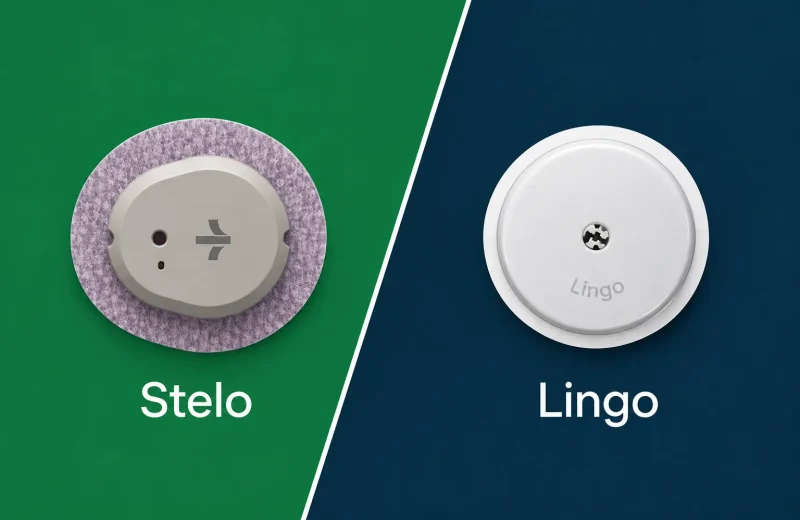
There is an over-the-counter middle ground now too, with sensors sold without prescription and their own apps. We compared those separately in our look at Stelo and Lingo.
How to choose in five minutes
Work down this list and stop at the first honest answer:
- Start with your sensor’s own app. It is required, it holds the cleared alarms, and it is free. Never disable its alerts to quiet a companion app.
- Name the one thing missing. A watch face? A follower who needs their own thresholds? A better overnight warning? A report your clinic accepts? One gap, one app.
- Check both brands are supported if there is any chance you switch sensors, or if two people in the house use different ones. Check device compatibility too, since every sensor app publishes a list of supported phones and operating system versions.
- Test the sharing chain before you rely on it. Put the wearer’s phone in another room, turn off Wi-Fi, see how long the follower’s screen takes to notice.
- Only pay for what you will open weekly. Reports you never print and coaching you never read are the two things people cancel first.
Time in Range makes a useful tiebreaker between apps, because the numbers should agree. The 2019 International Consensus set the standard target of 70 to 180 mg/dL (3.9 to 10.0 mmol/L) for most adults, with an aim of more than 70 percent of the day in that band, published in Battelino et al., 2019. If two apps reading the same sensor show percentages several points apart, they are usually calculating over different windows or filling gaps differently. A good companion app also makes that health data easy to read in charts and, on iPhone, syncs with Apple Health so nothing is locked in (from there you can even ask ChatGPT about your CGM data). Our explainer on Time in Range walks through what those percentages actually mean day to day, though any change you make on the back of them belongs in a conversation with your care team.
Frequently asked questions
Which apps work with the Dexcom G7?
The Dexcom G7 app runs the sensor, and Dexcom Follow handles up to 10 free followers. Beyond that, Sugarmate, Sugar Sense, Gluroo, xDrip+ and Nightscout clients can read G7 data through Dexcom Share, which has to be turned on in the G7 app first.
Which apps work with FreeStyle Libre 3?
Abbott’s Libre app streams the readings and fires the alarms, and LibreLinkUp lets up to 20 people follow, across the FreeStyle Libre 2 and Libre 3 systems including the Plus sensors. Independent apps such as Sugar Sense, Gluroo and Nightscout bridges read that same LibreLinkUp stream, so the wearer has to send a connection invitation before anything appears.
Can I check my blood sugar on my phone for free?
If you already have a CGM, yes. The sensor app shows your glucose levels on the phone in real time, and the manufacturer apps, their follower apps and the free tiers of most independent companion apps cost nothing extra. The sensor itself is the expense, whether through insurance, prescription or over-the-counter purchase.
Is there a Nightscout app?
Not in the usual sense. Nightscout is self-hosted software with a web dashboard rather than a store download. Several native apps display Nightscout data on iPhone, Android, Apple Watch and Garmin, and the project documents supported clients on its official site.
What is the difference between a CGM app and a wellness CGM subscription?
A CGM app displays and alarms on glucose from a sensor you already have, usually free. A wellness subscription bundles sensors, food coaching and metabolic scoring for a monthly fee, designed for people who do not use insulin, and it lacks the alarm and sharing features insulin users need.
This comparison is general education, not medical advice. Whatever app you add, keep your sensor’s own app and its alarms running, since a companion app reads a copy of your data and can never replace the cleared device that generates it. Decisions about insulin, targets and treating a low belong with your diabetes care team, and our full disclaimer explains the limits of what we publish.