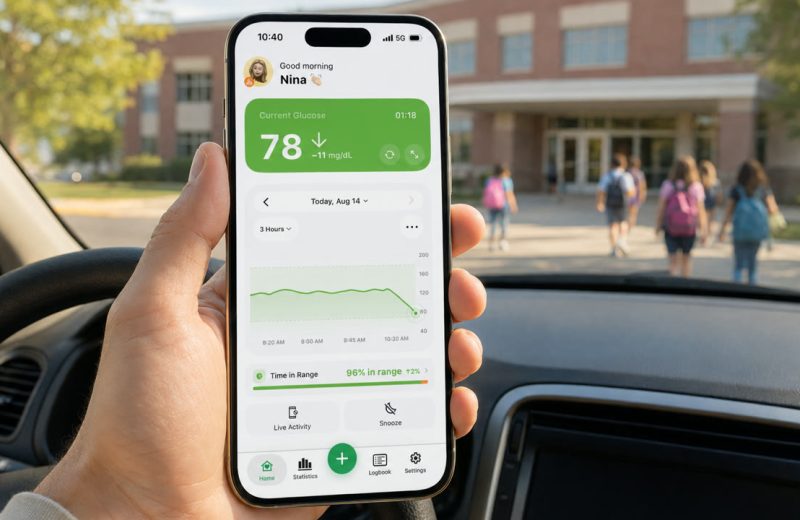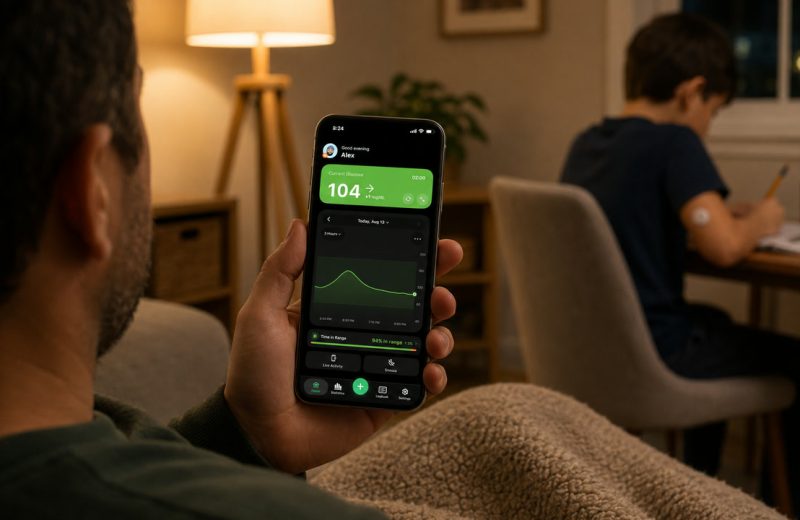
A dad texts me that Dexcom Follow shows his son’s number on his iPhone just fine. What he wants is a glance at his wrist during meetings, plus a nudge before the number goes low rather than after. That is the real question behind most searches for apps that work with Dexcom G7: the official Dexcom Follow app covers the live number and the alerts, and third-party companion apps that read Dexcom Share add the pieces around it, a home screen widget on iPhone, a warning before the low, or Libre and Nightscout in the same app.
Dexcom Follow is the official free follower app for Dexcom G6 and G7, and it does the core job well: a live number, a trend arrow, a graph and follower-side high and low alerts, all pushed from the wearer’s phone through Dexcom Share. Whether you wear the G7 yourself or follow a child or a partner, the difference between “works” and “works for us” usually comes down to where the alerts reach you at night and whether your watch and your phone fit into the setup.
Alternatives exist mostly to add what Follow does not aim to do. This guide covers what Follow does and does not do, which third-party options exist, what a follower’s Apple Watch and iPhone actually show, the privacy trade-off of an extra connection, and how LibreLinkUp compares if your household also uses Libre.
In one breath: Follow is the safest default for a Dexcom family because it comes from the manufacturer and needs no extra accounts. Third-party companion apps are worth adding when you want the number on an iPhone home screen or lock screen, a forecast alert before the low, or a single app across different sensor brands.
On this page
What the Dexcom Follow app does well, and where it stops
Dexcom Follow gives up to ten followers a read-only view of the wearer’s glucose, refreshed roughly every five minutes, with each follower setting their own high and low alert levels on their own phone. That is a lot of capability for a free app, and it comes straight from the device maker.
The invitation flow is simple. The wearer opens Connections, then Share, in the Dexcom G7 app, sends an invite by email or text, and the follower installs Follow and accepts. Dexcom’s own sharing FAQ walks through the steps, and the whole thing usually takes a few minutes.
The limits are design choices, not faults. Follow shows what the wearer’s phone has uploaded, so it depends on the wearer having internet: no data connection, no follower updates. The 2025 version of the app gives home screen widgets to Android only, so an iPhone follower who wants the number without opening the app ends up reaching for a companion. And it only speaks Dexcom. If your household has a Libre user and a Dexcom user, that is two separate follower apps.
One more thing families underestimate: follower alerts travel over push notifications, so they inherit whatever your phone’s notification settings decide. That is true of every follower app, official or not. We wrote about how iPhone silent mode and Focus modes interact with glucose alerts because it catches people out constantly.
Which apps work with Dexcom G7 beyond Follow, and how they differ
There is no single best follower app, because followers want different things. Some want silence unless something is wrong. Others want a number always visible. Broadly there are four kinds of alternative.
- Dexcom’s own ecosystem, used differently. The wearer’s own G7 app plus Dexcom Clarity gives retrospective reports and a separate door for the clinic (Connections, then Clinic), and Dexcom’s Direct to Watch puts the wearer’s own glucose on their Apple Watch. Worth knowing before you go looking elsewhere.
- Third-party companion apps that read Dexcom Share. These log in with the wearer’s Share credentials and rebuild the view on the follower’s side. That is how you get an iPhone widget, a Live Activity, extra watch complications or alert logic the official app does not offer. Dexcom itself says its CGM integrates with over 90 connected health apps, from pumps to lifestyle apps; the follower-side companions are a smaller group, and Sugar Sense is one of them, alongside apps such as Sugarmate, Gluroo and the xDrip+ and Nightscout family.
- Nightscout. A self-hosted, open-source site the community maintains. You run it yourself, feed it from a Dexcom, Libre or pump uploader, and then any number of viewers and apps can read it. Maximum flexibility, maximum setup work. The Nightscout documentation is the honest starting point, and our Nightscout setup notes cover the parts that usually break.
- Libre’s official follower app. LibreLinkUp, covered in its own section below, since it is the answer for a big share of readers who land on this page by accident.
Across these, four differences actually matter day to day: does it show on a watch and on the phone’s home screen, can more than one person follow, does it alert before a threshold or only at it, and what happens when data goes stale.
| What you want | Where to look first |
|---|---|
| Simplest official Dexcom setup | Dexcom Follow |
| Glucose on a follower’s Apple Watch | Dexcom Follow’s own watch app; a companion app for more complication styles |
| Glucose on an iPhone home screen or lock screen | A third-party companion app |
| One app for Dexcom, Libre and Nightscout | A third-party companion app |
| Full control and custom alarms | Nightscout |
| Libre wearer, family following | LibreLinkUp |
If you are still deciding between Share and Follow themselves, we untangled the naming in Dexcom Share vs Dexcom Follow.
Dexcom Follow on Apple Watch: what the follower’s wrist shows
The follower’s watch is covered by Dexcom itself. Dexcom’s Apple Watch FAQ for Follow says the app is available on an Apple Watch, that the shared glucose data is displayed continuously, and that a watch complication opens Follow from the watch face. The current App Store listing asks for watchOS 10.6.1 or later and says one follower can receive up to 25 sharers. The watch app installs from the Watch app on the follower’s iPhone, and both phones still need an internet connection.
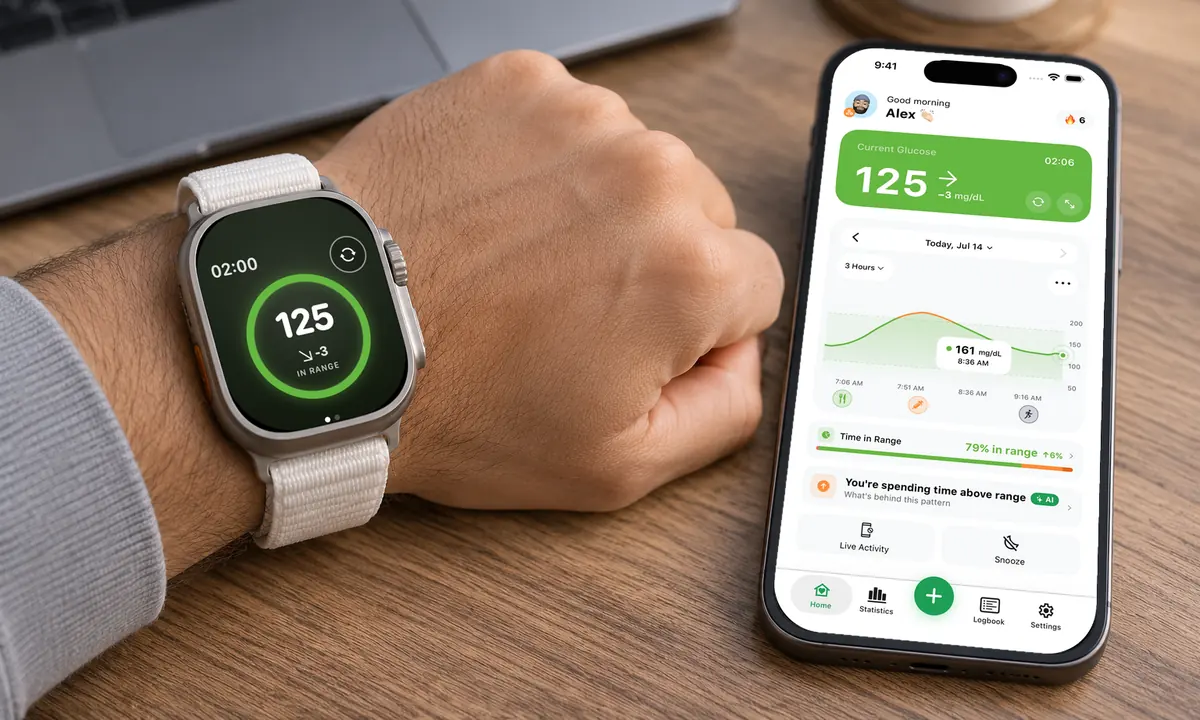
What a companion app adds on the wrist is choice: more complication styles and watch faces, its own alert sounds, and the same number for a Libre or Nightscout wearer in the family. What it cannot do is skip the phone. On every follower app, official or not, the wearer’s phone uploads, the follower’s phone receives, and the watch mirrors the follower’s phone. If the wearer’s own watch is the question, our Apple Watch guide covers Direct to Watch on the G7.
The iPhone widget: the gap the new Follow app left
Dexcom’s page on the new Follow app lists home widgets for check-ins at a glance as Android only. On iPhone the number lives inside the app, so a parent checking between meetings unlocks the phone and opens Follow each time. That one line explains a large share of the searches for Follow alternatives from iPhone families: what they want is a widget on the home screen or lock screen, or a Live Activity that stays on the lock screen through the night.
A companion app that reads Dexcom Share fills that gap on iPhone, and our guide to glucose widgets on iPhone shows what the lock screen and home screen versions look like. The usual rule applies: a widget is only as fresh as the last upload, so a widget that shows the reading’s age is worth more than a bigger number.
What should you check before trusting a follower app with alerts?
Test it deliberately before you rely on it: confirm the follower phone alerts while locked, while in a Focus mode, and after the app has been closed for hours, and confirm you can tell the difference between a calm number and stale data. Every follower app, including the official ones, is a second layer that depends on two phones and a cloud service.
My short checklist:
- Does it show data age? A number with no timestamp is the dangerous one. You want to know at a glance whether that 105 mg/dL (5.8 mmol/L) arrived one minute ago or forty.
- Does it alert on missing data? A signal-loss or no-data alert is the feature that saves you from a quiet screen that looks fine.
- Do notifications survive Do Not Disturb? On iPhone, critical-style or time-sensitive delivery matters. Test it at night, on purpose, before you need it.
- Is the alerting distinguishable? A low alert and a rise alert should not sound identical at 3 a.m.
- Where does the data go? Read the privacy policy. Understand which server sees the glucose values and who else can see them.
- Is it clear that it is not a medical device? Companion apps are display layers. Treatment decisions still run through the wearer’s own device and their care team, and Dexcom’s rule for Follow is the same: confirm on the G7 app or receiver before acting. If readings or alerts do not match symptoms or expectations, check with a blood glucose meter.
The best-documented failure of follower alerts is not broken data. It is alarm fatigue: a 2013 review in the Journal of Diabetes Science and Technology, titled “Turn it off!”, described how people who hear too many device alarms start ignoring or silencing them. Followers who set thresholds so tight that they buzz all evening end up there. Widen the follower thresholds so they mean something. The wearer keeps the tighter ones.
For the human side of all this, who gets alerted, when to text and when to stay quiet, our caregiver’s guide to remote glucose monitoring goes deeper than any feature list can.
How Libre users get the same family setup
Libre wearers use LibreLinkUp, Abbott’s free follower app: the wearer enables Connected Apps in the FreeStyle Libre 3 or Libre 3 Plus app, invites a follower by email, and the follower accepts in LibreLinkUp to see readings and set their own alarms. Abbott documents the flow on the FreeStyle Libre support site.
Functionally it lands close to Dexcom Follow. Read-only view, follower-side alerts, dependent on the wearer’s phone uploading. One difference: unlike the new Dexcom Follow, LibreLinkUp has no watch app of its own (Abbott’s App Store listing is for iPhone only), so wrist glance comes from third-party companion apps that connect through LibreLinkUp. If the data goes stale, our LibreLinkUp troubleshooting walkthrough covers the usual causes, and the full Libre sharing setup has the step-by-step.
Timing differs slightly between brands, since Libre 3 and 3 Plus stream every minute while Dexcom G7 sends every five. In practice both are fast enough for family monitoring, and the delay you notice is usually network, not sensor.
I care about this because nighttime lows have always been my weak spot. There were nights when a single alarm did not wake me. That is exactly why I wanted an independent second layer on top of my sensor’s own app, and why a warning that arrives while I am still in range means more to me than a louder one that arrives at 60. If you want the mechanics, we explained how predictive low alerts work separately.
Frequently asked questions
What apps are compatible with Dexcom G7?
For the wearer, the Dexcom G7 app, with Dexcom Clarity for reports. For family and friends, Dexcom Follow. Beyond those, third-party companion apps that read Dexcom Share, such as Sugar Sense, the self-hosted Nightscout route, and Dexcom’s own list of connected health apps for pumps and lifestyle tools. Which phones and watches run the G7 app is a separate question, answered by Dexcom’s compatibility page.
Can I put the Dexcom Follow app on my Apple Watch?
Yes. Dexcom Follow has an Apple Watch app: install it from the Watch app on your iPhone, keep the watch charged, and the shared glucose shows continuously, with a complication that opens Follow from the watch face. A third-party companion app adds more complication styles and its own alerts on the watch. The wearer’s own watch is a separate matter, covered in our Apple Watch guide.
Is there a Dexcom widget for Android?
Yes. The 2025 Dexcom Follow app lists home widgets for Android. On iPhone there is no Follow widget, which is where a companion app’s widget or Live Activity comes in.
Which Dexcom app should I use?
The wearer uses the Dexcom G7 app (or the G6 app with a G6). Family and friends use Dexcom Follow. Clinics see the data through Dexcom Clarity, which the wearer shares from Connections, then Clinic. A companion app sits beside these, never instead of the G7 app.
Is it safe to give a third-party app my Dexcom Share login?
The privacy policy is where to start. Check whether the developer explains where credentials are stored and what data leaves your phone. Share access is read-only by design, so a follower app cannot change sensor settings. You are still trusting a company with health data.
Do I need to stop using Dexcom Follow to try something else?
Nothing stops you running both. Multiple followers (Dexcom allows up to ten per wearer) and multiple apps can read the same Share feed at once, so you can keep Follow alongside another app for a week and compare how each behaves at night. Keeping the official app installed as a baseline is a reasonable habit, and both phones need an internet connection either way.
Where we fit
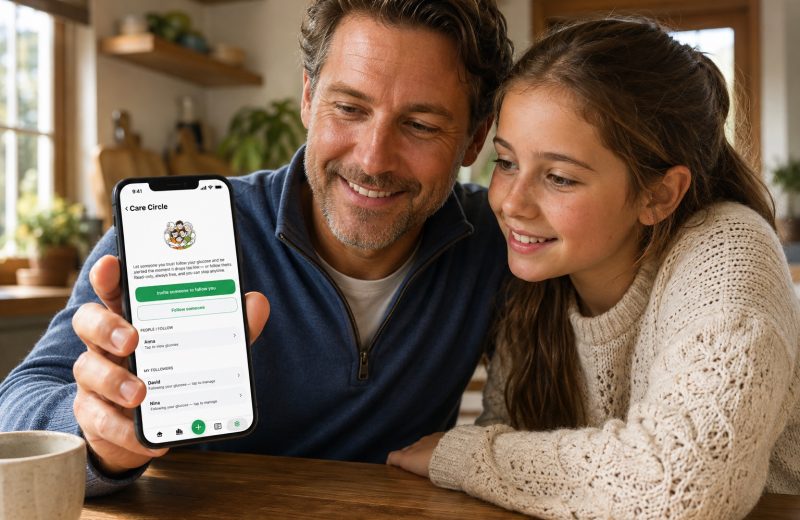
Sugar Sense is one of those third-party companions: it reads Dexcom Share, LibreLinkUp or your own Nightscout site, puts the number on an iPhone widget and an Apple Watch face, and lets a Care Circle follow along with their own alert levels. Core monitoring is free, and you can see how it works on the Sugar Sense home page. It sits on top of your official app, never instead of it.
This article is general education from someone who lives with type 1 diabetes, not medical advice. A companion or follower app is an extra screen, not a replacement for your CGM, its own alarms or a finger stick when something feels off, and every decision about insulin, food or treating a low belongs to you and your healthcare team. Our full disclaimer spells out the boundaries.