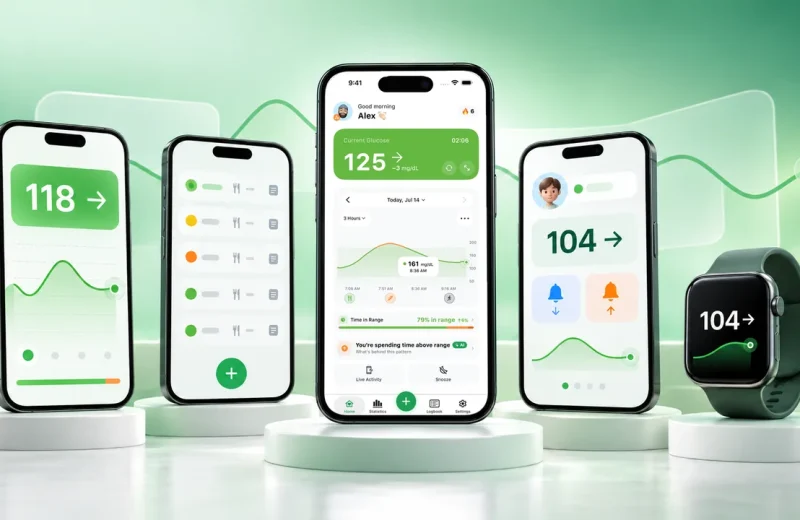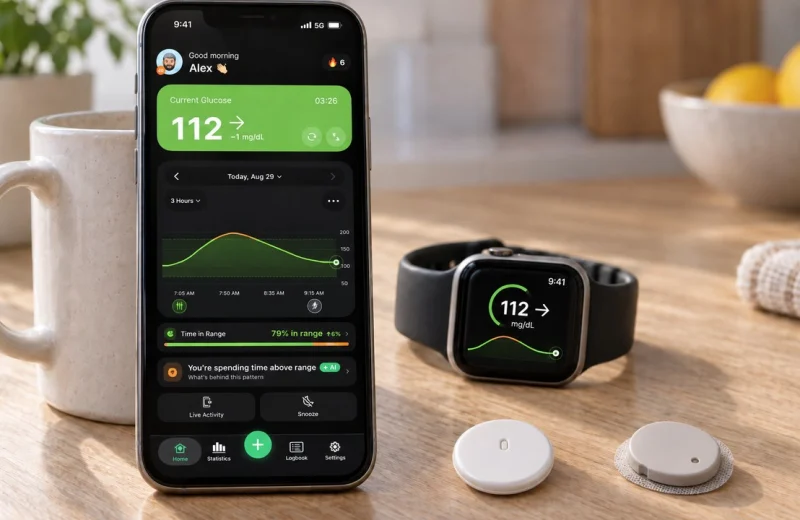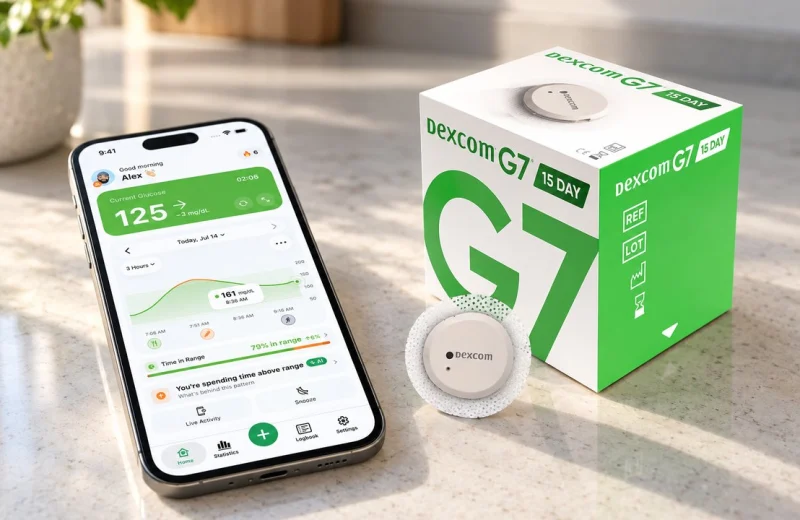
Hands in the dough, phone charging in the next room, dinner three minutes from the table. You want a number without touching anything.
Short answer: Alexa cannot connect to a Dexcom or FreeStyle Libre sensor directly. It reads your glucose through a third-party Alexa skill linked to the cloud account that already receives your data (Dexcom Share for a Dexcom G7 or G6, LibreLinkUp for Libre, or your own Nightscout site), then speaks the value and the trend. That works for the person wearing the sensor and for a parent or partner who follows it. It is a hands-free glucose check, not an alarm.
No Echo speaks Bluetooth to a CGM. So Alexa cannot reach a Dexcom or FreeStyle Libre sensor directly. Voice readings always travel through a cloud account and an Alexa skill: you enable a glucose skill, link the account that already receives your data, then ask out loud, and Alexa reads back the value and the trend.
What to know before you set anything up:
- Every Alexa glucose reading comes from a cloud service, never from the sensor on your arm.
- As of August 2026 there is no Alexa skill published by Dexcom itself in the US Skills store: every skill that speaks Dexcom numbers, ours included, is third-party and reads your Dexcom Share account.
- I am not aware of an official Abbott skill for FreeStyle Libre, so Libre users go through a third-party skill.
- An Alexa Routine can shrink a long request down to two words.
- Alexa answers when asked. It is not an alarm and it does not replace the alerts in your CGM app.
On this page
Can Alexa connect to Dexcom or FreeStyle Libre directly?
No. An Echo has no pairing relationship with a CGM transmitter, so a skill fetches your latest value from a cloud account instead: Dexcom Share for Dexcom, LibreLinkUp for FreeStyle Libre, or your own Nightscout site.
That chain matters more than it sounds. Your sensor sends readings to your phone, your phone uploads them, the skill reads the upload, and Alexa speaks it. Break any link, including your home internet, and Alexa has nothing to say.
We went looking for an official Dexcom skill before publishing this and could not find one in the Skills store as of August 2026. The third-party skill many people used for years, Sugarmate, no longer works with Alexa either, which is why so many searches for Dexcom and Alexa start with “what now”. What the store does list is a small set of third-party skills that read Dexcom data through a linked account, ours included, and that set keeps changing: glucose skills have come and gone over the years as data access shifted. So check a skill’s own store page for what it currently supports before you build a habit around it.
Hearing your reading on any Echo, step by step
The path that works on any Echo, with either brand, is a third-party skill linked to an account that already receives your data. Setup takes about five minutes, mostly in the Alexa phone app rather than on the speaker.
- Get your readings flowing into the companion app first, through your LibreLinkUp, Dexcom Share or Nightscout connection. If the app shows a live number, the skill will have something to read.
- Open the Alexa app, tap More, then Skills & Games, and search for the skill by name.
- Tap Enable To Use. Alexa sends you to a sign-in screen to link the same account you use in the app. That step is what gives the skill permission to read your glucose.
- Say the invocation phrase shown on the skill’s page, along the lines of “Alexa, ask Sugar Sense for my glucose.”
- Listen to what comes back: the value in your chosen unit, the trend direction, and how many minutes old the reading is.
One quiet detail people miss. Alexa says the number out loud, to whoever happens to be in the room, so think about where the Echo lives before you put one in a shared office.
FreeStyle Libre and Alexa: the same path
Everything above applies to Libre owners unchanged. Abbott does not publish an Alexa skill, so the route is the same third-party one: get your readings flowing into LibreLinkUp, link that account inside a glucose skill, and ask. The sensor generation does not matter, Libre 2, Libre 3 and Libre 3 Plus all work the moment LibreLinkUp shows a live number, because the skill reads the sharing account rather than the sensor. If Alexa has nothing to say, the first place to look is whether LibreLinkUp itself is receiving data.
What an Echo Show puts on screen
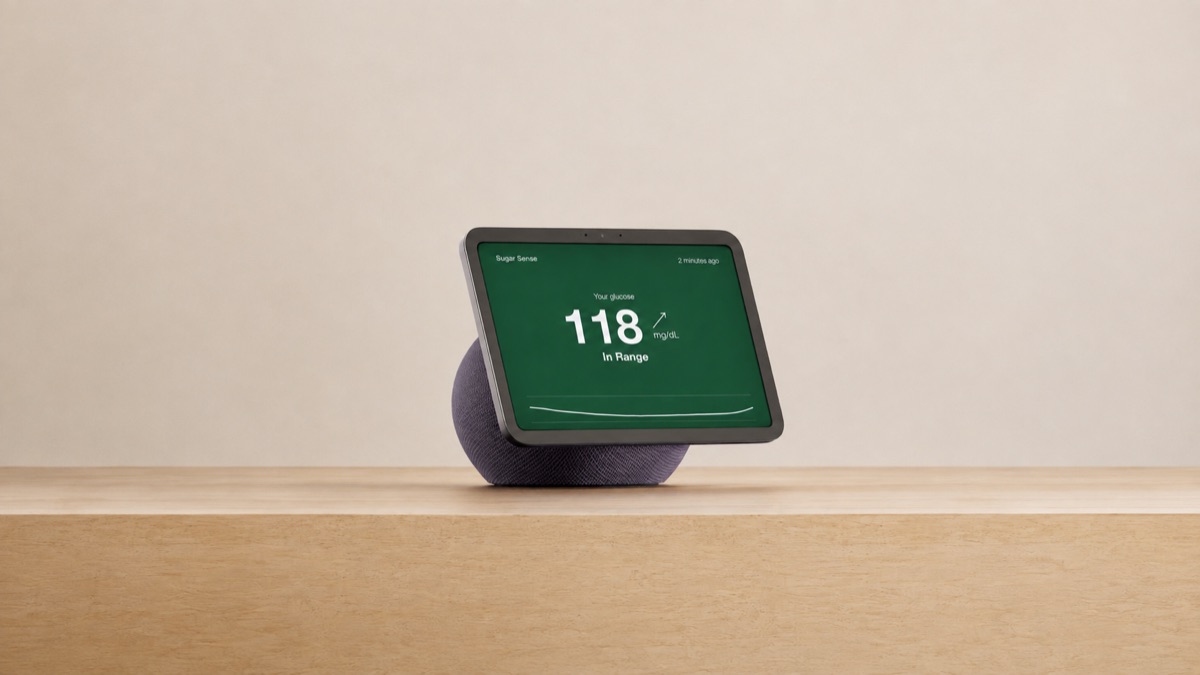
An Echo Show adds a visual card to the spoken answer. Usually the current value in large type, with the trend direction and the age of the reading. You can glance at it from across the kitchen instead of asking twice.
On our skill the card is a full-screen answer: the value in large type, the trend arrow, how many minutes old the reading is, a zone label such as In Range, and a mini graph of the last three hours, on a background tinted green when you are in range, amber when you are low or high, and red when you are very low or very high. Readings older than 15 minutes turn the card grey and it is framed as a last reading instead of a current one.
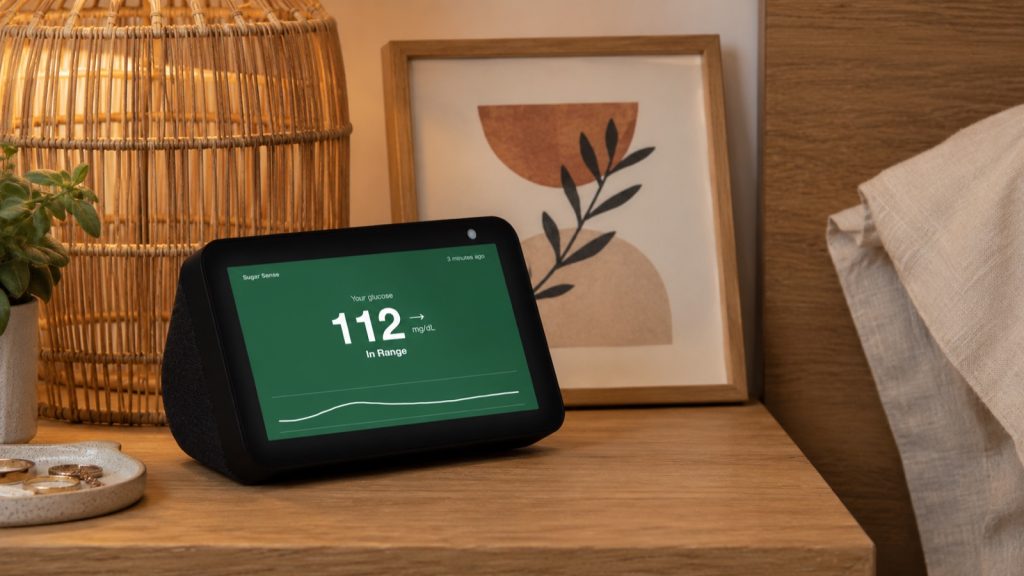
Layouts differ by skill and by Show model, and the card disappears after a while like any other Alexa card. Treat it as a glance, not a monitor. If you want something visible all day, a watch complication or a phone widget does that job better, and I have written about the watch side of that.
A shorter trigger phrase with an Alexa Routine
An Alexa Routine lets you swap the full skill request for your own two or three words, which is handy in exactly the hands-busy moments this whole article is about. So “Alexa, sugar check” can run “ask Sugar Sense for my glucose” and speak the answer back.
In the Alexa app: More, then Routines, then the plus button. Under When this happens choose Voice and type your phrase. Under Add action choose Custom and type the exact skill request you would normally say. Save it, pick which Echo it runs on, then test it once. It is a shortcut, not a different data source.
Two things to watch. Use at least two words so your phrase does not collide with something Alexa already handles, and avoid words like “low” or “help” that you might shout in a real emergency. Custom actions also behave a little differently between Alexa app versions, so if nothing happens, retype the request word for word as the skill page shows it.
Other ways to get CGM data on Alexa today
Two routes exist in practice: a skill linked to your sharing account, or Nightscout’s own Alexa plugin for people who already run their own site.
Nightscout is the most flexible and the most work. The project’s own documentation covers an Alexa integration, and it is a build, not a two-tap install: you are wiring a skill to a site you host yourself. Already keep Nightscout running? Then this fits naturally, and our Nightscout troubleshooting notes cover the usual snags. If not, a plain skill is the faster path.
What does not exist, as far as I can tell, is any way for Alexa to read the sensor without a cloud account in the middle. Anyone promising that is guessing.
What a spoken blood sugar number is good for, and what it is not
Voice is excellent for the small, hands-busy moments and useless for sleep. An Echo answers a question. It does not raise an alarm, and it should never be the layer you rely on overnight. Real alerts for highs and lows belong to your CGM app, or to a companion app that pushes them to your phone.
Here is a real day of asking, with a common target of 70 to 180 mg/dL (3.9 to 10.0 mmol/L). At 7:10 a.m. Alexa says 118 and rising. At noon, 165 and steady. At 4:20 p.m., 88 and falling, which is the one answer that changes what I do next. At 10 p.m., 142 and flat. Four in range, and only the falling one mattered, because the number alone told me nothing that the arrow did not sharpen. That is why direction matters as much as digits, and why trend arrows deserve their own read.
In the support inbox, two themes come back constantly: nighttime lows and families wanting to follow along. Voice fits the second far better than the first. Nighttime lows are my own long-running problem, and there were nights when one alarm did not wake me, which is exactly why I care about a second independent alerting layer rather than a speaker that waits to be asked. A companion app can also ring your phone for a severe low, which is a very different thing from asking Alexa for a reading.
And when a spoken number sounds low, the number is a prompt, not a decision. Guidance from NIDDK is to treat a low promptly and confirm with a meter when the reading and how you feel do not match. Alexa’s answer is also a minute or two behind reality by the time you hear it.
If a spoken reading sounds useful to you, the free Sugar Sense skill is the shortest way to try it.
Frequently asked questions
Can Alexa wake me up if my glucose drops at night?
Not reliably, and it is not designed to. Alexa skills respond to requests rather than pushing urgent alerts, and Do Not Disturb or a muted Echo will silence anything anyway. Keep your CGM app’s own low alerts on, and read up on preparing for nighttime lows.
Does this work with FreeStyle Libre 3 Plus?
If your readings already reach a follower service such as LibreLinkUp, a third-party skill can read them and speak the value. What matters is the cloud connection, not the sensor generation. Check that your sharing setup is live before blaming the skill.
Why does Alexa say my reading is several minutes old?
Because the number travelled from sensor to phone to cloud to Echo, and each hop adds delay. A gap of more than about 15 minutes usually means the phone stopped uploading: closed app, no data connection, or sharing turned off. Reopen the app and ask again.
Can Siri check my blood sugar instead?
On an iPhone, yes, and without any cloud hop: Ask Siri on iPhone answers from the app’s latest reading, for free. It is the same idea as the Echo, a spoken number and trend on request, with the same limit: it is not an alarm.
Setup questions, or a step that did not work on your Echo? Ask in r/SugarSense, where the team answers.
This article is education, not medical advice. A voice assistant or companion app is a convenience layer on top of your CGM, and it never replaces your sensor’s own app, its alarms or a fingerstick when something feels off. Decisions about medication, targets and treating lows belong with your own healthcare team. Our medical disclaimer spells out the rest.