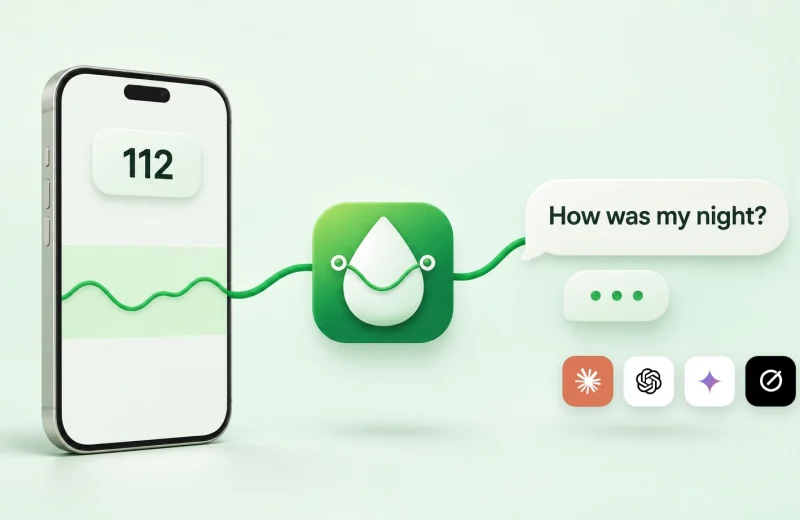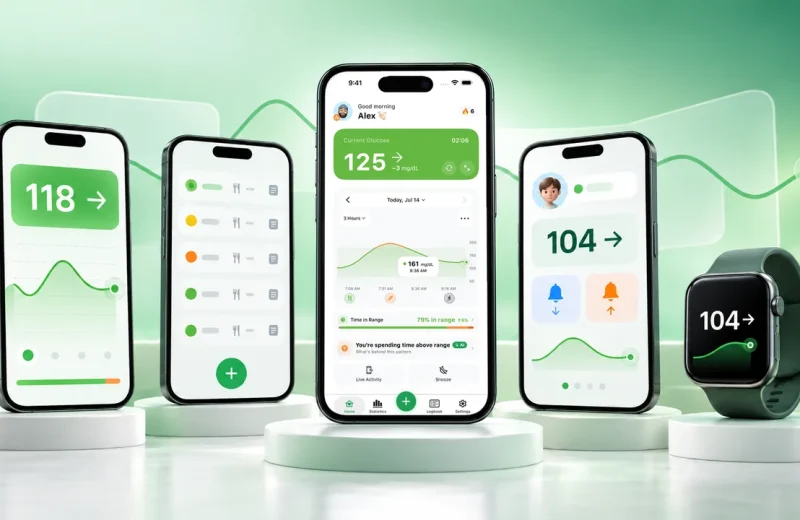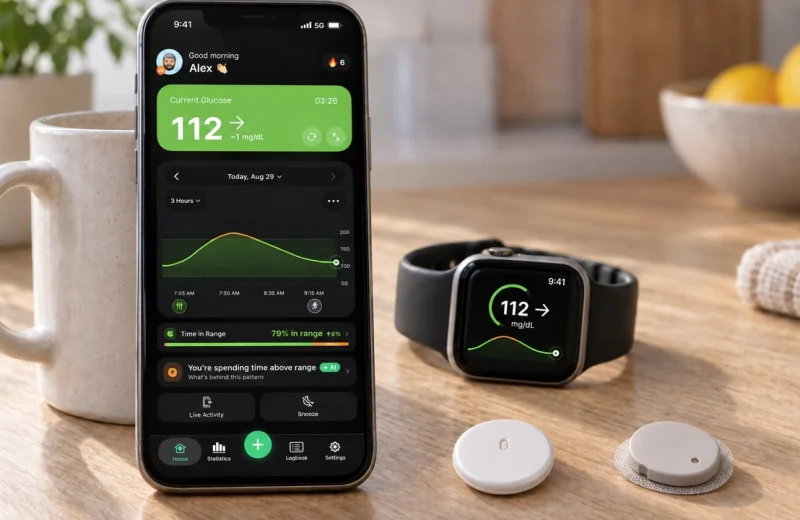
Someone in a Facebook group posts a screenshot of a purple glucose graph with pump data charted underneath it, and half the replies say “that’s Nightscout, you should set one up.” The other half say nobody needs that anymore.
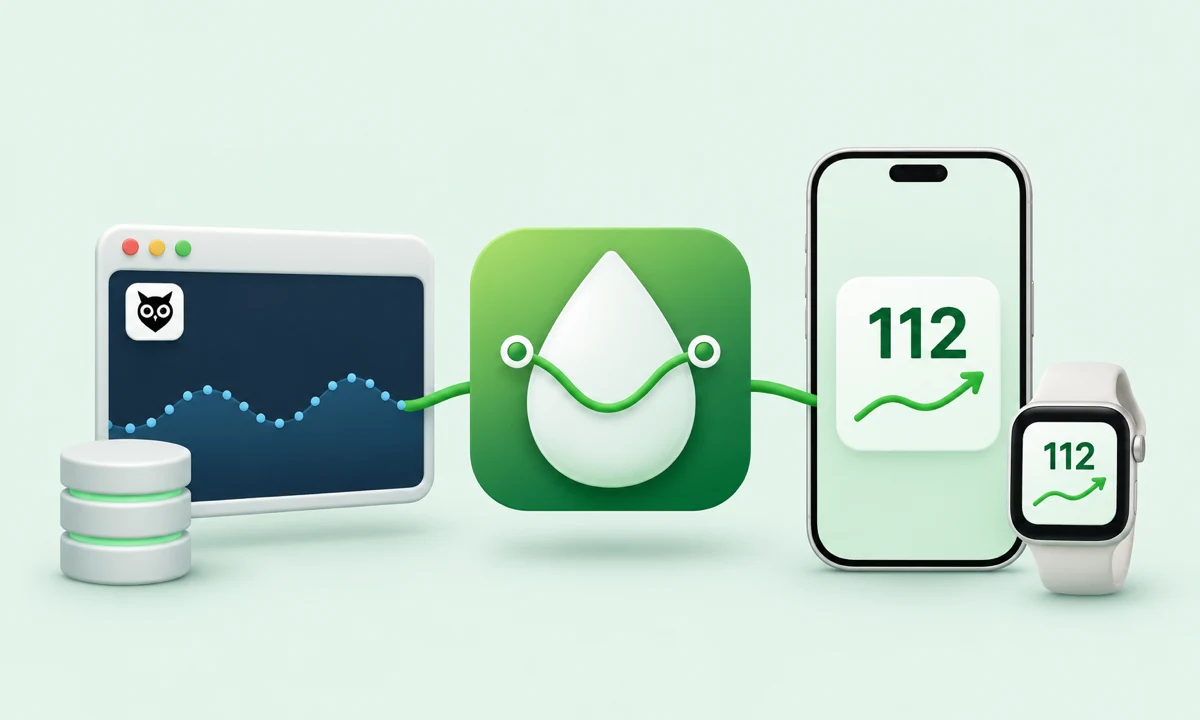
Nightscout is free, open-source software. It takes readings from your CGM or pump, stores them in a database you control, and shows them on a personal website that only the people you send the link to can see. A Nightscout app on your phone reads that site for alarms and watch faces. In 2026 it is still the most flexible option. It is no longer the only one.
The short version before the details:
- Nightscout is a website you host, not a product you buy or an account you sign up for.
- Setup today usually means a cloud host plus a free database tier, and it takes an evening, not a weekend.
- Official apps from Dexcom and Abbott now cover basic family sharing and alerts without any of that.
- Pump data, looping, custom reports and permanent data ownership are still Nightscout’s home turf.
- You can keep your Nightscout site and still use a friendlier app on your phone and watch for alerts.
On this page
What is Nightscout, and how does it handle CGM data?
Nightscout is a web app you run yourself. Your cloud server, your database, your glucose history. Nothing about it is a company’s service. The Nightscout project documentation describes the Nightscout software as CGM in the Cloud: data uploaded from a phone or receiver, stored in MongoDB, and rendered as a live graph that anyone with your link and token can see.
The chain has three links. First, an uploader: usually an Android phone running xDrip+ or the LibreLink patched app, or a bridge that pulls from Dexcom Share servers. Second, the site itself, a small Node.js app on a cloud host. Third, the viewers: a browser, a Pebble-style watch face, a phone app, a smart display in the kitchen.
The database is what sets it apart from every official app. It is yours. Every reading you have ever uploaded stays there, and you can query it, export it, drop it into a spreadsheet, or keep ten years of history that no company can retire when a product line gets sunset.
The project started in 2013, when John Costik, a software engineer and the father of a newly diagnosed four-year-old, wrote code to pull readings off a Dexcom receiver and see them remotely. Other parents joined, and the combined code was released as the open-source Nightscout Project in 2014, before Dexcom shipped its own Share feature in 2015. Volunteers still maintain it, and the CGM in the Cloud Facebook group that grew around it has well over 39,000 members. It is a DIY project in the truest sense: built by parents who were tired of waiting.
What setting up Nightscout involves in 2026
Whatever your technical level, a first-time setup takes most people one focused evening. The hard part is not code. It is account plumbing: a GitHub account, a cloud host, a free-tier MongoDB database, and roughly a dozen environment variables pasted into the right boxes.
The old one-click Azure and Heroku routes are gone. Current documentation points people toward hosts like Northflank, Railway, Fly.io or a small self-managed server, paired with MongoDB Atlas on its free tier. Expect free, or a few dollars a month, depending on the host.
Then the variables: API_SECRET (your admin password), DISPLAY_UNITS (mg/dL or mmol/L), BRIDGE credentials if you are pulling Dexcom Share data, and the plugin list that decides which panels show on your site. After that you point your uploader at the URL, wait five minutes, and watch the first dot land on the graph.
Maintenance is real but light. Free database tiers change their rules. Hosts deprecate runtimes. Once or twice a year something breaks and you spend an hour in a community thread, and the Loop and Learn tutorials cover most of the common setup and troubleshooting steps. If a broken site is what brought you here, our Nightscout setup and troubleshooting guide walks through the usual failure points.
If you would rather not host it yourself, paid services such as Nightscout Pro and T1Pal run a Nightscout site for you for a small monthly fee and keep it updated. You lose nothing in features, you just pay for the convenience instead of the evening.
What modern diabetes apps handle without any DIY
Remote following, phone alarms, a number on a watch face: most of what people originally built Nightscout to get now ships in official and third-party apps, including the basic alerts a caregiver needs. Five-minute setup, no server to maintain.
Abbott’s LibreLinkUp lets a Libre 3 or Libre 3 Plus user invite followers who see readings and alarms on their own phones. Dexcom Share plus the Follow app does the same for G6 and G7, with up to ten followers on one account, per Dexcom’s own description of Follow. Both push low and high alerts. Both work over the internet, so a parent at work sees the same blood sugar numbers as the kid at school.
| What you want | Nightscout | Official / companion apps |
|---|---|---|
| Family can see your glucose data | Yes, via your site link | Yes, built in |
| Setup time | An evening, plus upkeep | Minutes |
| Pump and insulin data on one graph | Yes | Rarely, and only within one brand |
| Own your full raw history | Yes, it is your database | No, export only |
| Closed-loop system reporting | Yes, standard for AID users | Brand-specific portals only |
| Works if you stop maintaining it | No | Yes |
Third-party companion apps add home-screen widgets, watch complications and smarter alerts on top of either route. None of this makes Nightscout obsolete. It means the entry ticket for basic sharing dropped to zero, so the DIY route is a choice now rather than the only door. If your only goal is your partner seeing your number, start with the official route and see whether that is enough.
Who genuinely still needs a Nightscout app in 2026
Nightscout still wins for anyone running a DIY or commercial closed-loop system. Same for anyone combining pump and CGM data from different manufacturers, or anyone who wants a permanent, exportable record of every reading instead of a rolling 90 days in someone else’s cloud. Its core strength is long-range reporting: glucose, carbs and treatments recorded together, in one place, for as long as you keep the database.
The clearest cases:
- Loopers. AndroidAPS, Loop and Trio all treat Nightscout as their reporting and remote-command backbone. There is no official substitute.
- Mixed hardware. One brand of pump, another brand of sensor, one graph that shows both.
- Data keepers. People who want years of history they can query, plot and hand to an endocrinologist in whatever format is asked for, including reports that track hourly, daily and weekly patterns.
- Unsupported regions and devices. Where official follower apps are unavailable or a sensor generation is not covered, the community bridge often is.
- People who like building things. That is a legitimate reason. Half of modern diabetes tech exists because someone in this community refused to wait.
Here is where the numbers get concrete. A standard target range is 70 to 180 mg/dL (3.9 to 10.0 mmol/L), and the 2019 International Consensus on Time in Range recommends most adults aim for more than 70 percent of the day inside it, which is about 17 hours out of 24, with under 4 percent below 70 mg/dL, roughly one hour (Battelino et al., 2019). Nightscout will calculate that across any window you choose: one week, one season, three years. On the main screen you can also pin extra values beside the graph, basal activity or sensor age for example, to put a run of readings in context. Official apps usually stop at 30 or 90 days. If you want to compare this March against the March you started a new pump, that difference matters. If you never look past last week, it does not. Our guide to Time in Range covers what the numbers mean either way.
One honest caveat. Nightscout has never been through regulatory clearance, and its own disclaimer says it plainly: highly experimental, not intended for therapy, use at your own risk. That is not a reason to avoid it, but it is a reason to keep your CGM’s own alarms on and to treat the site as information, not as a device.
Keeping your Nightscout site and getting better alerts
You do not have to choose between Nightscout and a polished phone experience. Your site exposes a read API, and third-party apps can read it. So your server keeps doing the heavy lifting while a native app handles alarms, widgets and watch complications, with nothing changed in your setup.
Practical setup: keep uploading to Nightscout exactly as you do now, then point a viewer app at your site URL with a read-only token instead of your full API secret. Create that token in Admin Tools on your own site and give it read permission only. The app can display your data but cannot write to or change your site, and you can revoke the token later without touching anything else.
That split fixes the weakest part of a classic Nightscout setup: mobile alerting. Browser notifications are unreliable when the screen is off, and a browser tab is a poor place to check a number in the night. A native app registers proper phone notifications, on iPhone or Android, that behave like the ones your sensor’s own app sends. If night lows are your worry, pair that with the settings covered in whether glucose alarms break through iPhone silent mode, because a perfect server means nothing if the phone stays quiet.
Two habits worth keeping. Never share your API_SECRET with any app or person. And check once a year that your database tier and host plan have not quietly changed terms.
Where Sugar Sense fits
If you already run a site, Sugar Sense connects to it with a read token and puts your Nightscout data on your iPhone or Android phone and on your Apple Watch, Wear OS or Garmin watch, with high, low and heading-low alerts, no extra uploader needed. Your server stays yours, and the people in your Care Circle can follow along from the same data. On top of the live view, the app adds a logbook, statistics, AI Insights that explain patterns in plain words, and a food scanner that estimates a carb range from a photo. None of it ever suggests a dose. The app is a nicer window onto your own data, nothing more.
This article is general education, not medical advice. Nightscout is community software with no regulatory clearance, and a companion app is never a replacement for your CGM’s own app and alarms, which should stay switched on. Anything involving insulin, medication or treatment belongs with your diabetes care team, and our full medical disclaimer explains the limits of what we publish here.