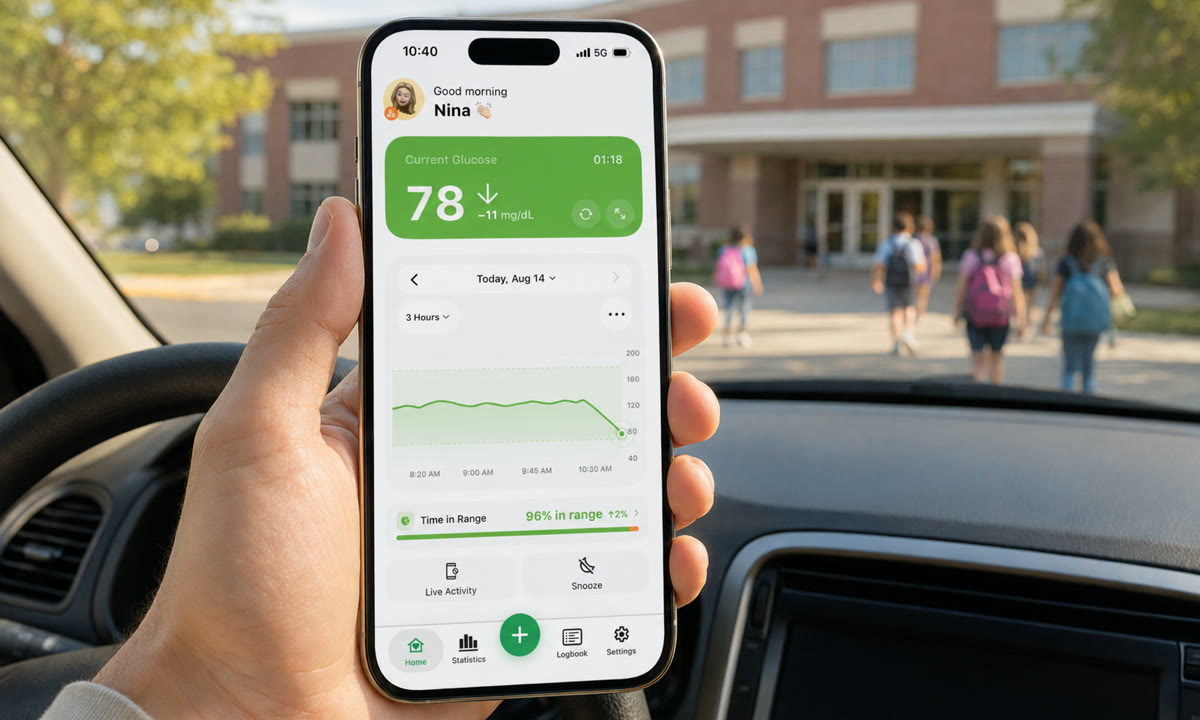
The buzz lands at 10:40 on a Tuesday: 78 mg/dL (4.3 mmol/L), arrow pointing down, and your child is in a math class across town.
You can monitor your child’s glucose at school remotely by switching on cloud sharing inside the CGM app they already use, then following those readings in a viewer app on your own phone. FreeStyle Libre shares through LibreLinkUp, Dexcom through Share and Follow, and Nightscout through a site you host yourself. Numbers, trend arrows and alerts arrive within minutes, and the school nurse can follow the same stream on a device of their own.
In brief: Turn on sharing, add both yourself and the school nurse as followers, and agree in advance on who acts first during school hours. The app is the early warning; the written school plan is what actually gets treated.
On this page
The three pieces that have to line up
Remote following needs a sensor on your child, a nearby device that uploads to the cloud, and a follower app on your phone. Break any one of those three and the numbers on your screen simply stop moving.
The chain runs like this. Sensor to phone over Bluetooth, within a few feet of your child. That device pushes readings up to the manufacturer’s servers over Wi-Fi or cellular data, and your follower app pulls them back down, usually within a couple of minutes of the sensor recording them.
Which is why the boring logistics matter more than the software. Where does the phone live during class? Who plugs it in at lunch? Does the school Wi-Fi let that device connect, or does it need cellular? A dead battery in a backpack in a locker is the single most common reason a parent stares at a reading that is 40 minutes old.
Which sharing setup fits your child’s CGM?
Each system shares differently: Libre uses LibreLinkUp, Dexcom uses Share and Follow, and Nightscout uses a site you control and hand out access to. All three support more than one follower, so a parent and a nurse can watch the same data at once.
- FreeStyle Libre. Your child’s Libre app sends an invite; you accept it in LibreLinkUp and the connection is live. Abbott’s rules decide what you see: with a Libre 3 or Libre 3 Plus, readings flow as long as the sensor is within Bluetooth range of your child’s phone; with a Libre 2, they flow only when your child scans with the phone app, and a scan with the handheld reader reaches nobody. Up to 20 people can follow one wearer. When the number freezes, our guide to fixing LibreLinkUp when it stops updating covers the usual causes.
- Dexcom. Share sends from your child’s G7 app, Follow receives on yours, and Dexcom supports up to 10 followers, which is more than enough for two parents, a nurse and a grandparent. The G7 app has to stay running on your child’s phone, and Dexcom’s own footnote applies to the nurse as much as to you: confirm readings on the CGM app or receiver before any treatment decision. If the two app names confuse you, here is the difference between Dexcom Share and Dexcom Follow.
- Nightscout. A self-hosted dashboard, open source and documented at nightscout.github.io, that works with most CGMs and gives you full control over custom alerts and who holds the link. It takes an afternoon to set up. Our Nightscout setup and troubleshooting notes help when uploads stall.
One practical tip for school: keep the follower list short and named. “Mom, Dad, Nurse Rivera” is a system. Eleven followers, half of them people who muted the app in September, is not.
Setting up Dexcom Follow or LibreLinkUp for the school nurse
The nurse is just another follower, invited from your child’s app to the nurse’s email address. For Dexcom, open Connections, then Share in the G7 app and add the nurse; the nurse installs Dexcom Follow and accepts. For Libre, open the Navigation Menu, then Connected Apps, then LibreLinkUp, and add the nurse’s first name, surname and email; the nurse installs LibreLinkUp and accepts. Abbott adds two rules worth knowing: the email must match the one the nurse signs in with, while the names may differ, and one LibreLinkUp account can be signed in on more than one device, so the health office phone and a tablet can both show your child.
Both ends need internet, and the school’s network is the usual snag. The American Diabetes Association’s statement on diabetes care in the school setting lists access to a phone or Wi-Fi to support the student’s diabetes technology among the accommodations that belong in a 504 plan or IEP. That is the calm way to settle a district phone policy: it goes into the written plan, not into an argument at the front office.
Dexcom publishes a discussion guide for exactly this conversation on its page about using Share and Follow in the school setting, and its back-to-school guidance adds a follower’s guide for school staff. Both are worth printing for the first meeting. Agree on the nurse’s device at that meeting too: a school-owned phone or tablet that stays charged in the health office, with notifications allowed for the Follow or LibreLinkUp app, or the nurse’s own phone, as long as everyone knows which it is and where it goes at 3 p.m.
How do you monitor your child’s glucose at school remotely without alarm fatigue?
Set one low alert, one high alert and, if your app offers it, one predictive low alert, then stop adding. Alerts you silence out of irritation protect nobody. The second you start swiping them away without reading them, the whole setup has quietly failed.
Choose the actual numbers with your child’s care team. The NIDDK explains how blood sugar targets are set individually, and a child’s school-day alert thresholds are that team’s call, so do not assume the adult defaults in an app are right for a seven-year-old. Whatever the numbers are, they should be the same on the nurse’s screen and on yours.
Three settings decide whether an alert reaches you at 10:40 in a meeting:
- Timing. A predictive low glucose alert fires while your child is still in range but falling fast. Ten extra minutes is often the difference between a juice box and a nurse’s office visit.
- Loudness. Work phones live on silent. Confirm your alerts can break through it before you need them to, using glucose alarms that work in silent mode and Focus.
- Ownership. Decide who responds first. During school hours the trained adult in the building acts first and the parent is backup. Without that agreement, everyone assumes someone else has it.
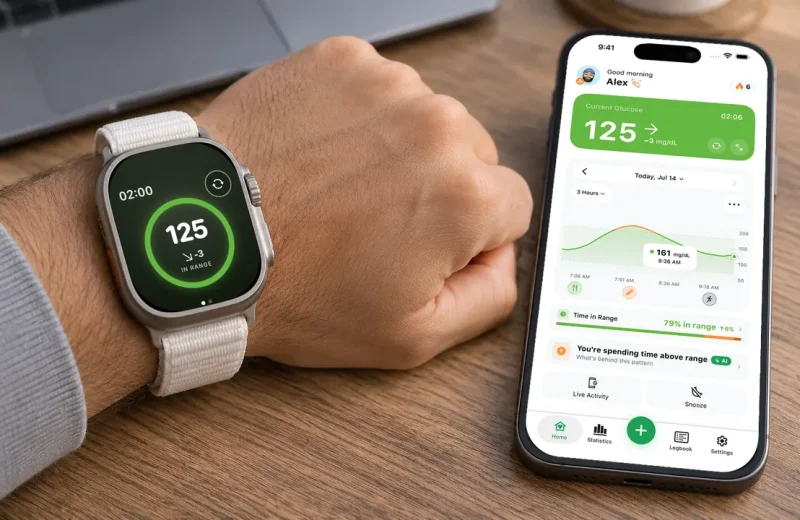
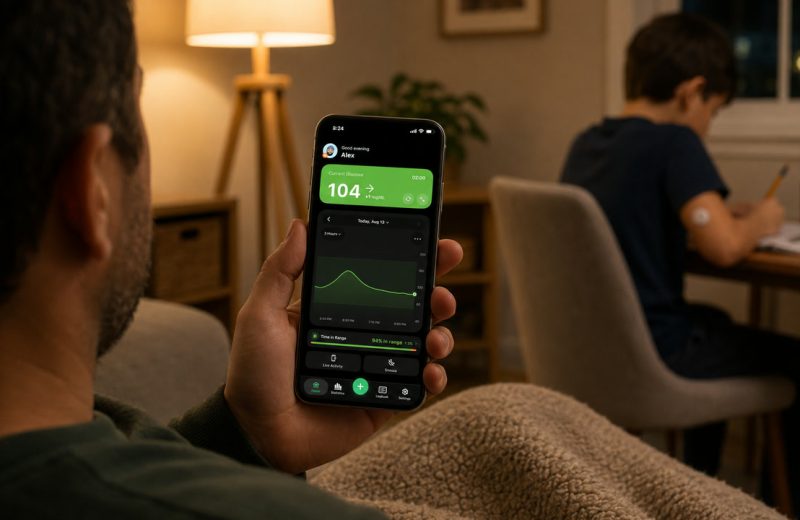
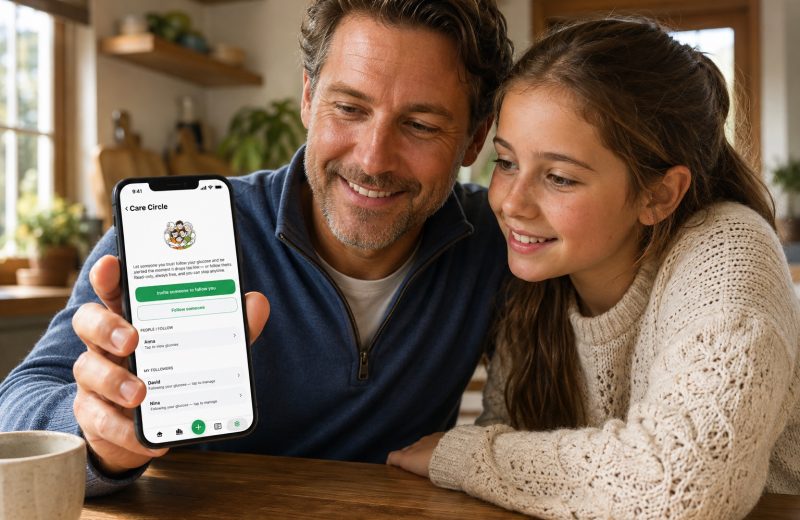
If you want Libre, Dexcom or Nightscout readings on one screen with alerts you can tune alert by alert, from a gentle high notice to a critical low that breaks through silent mode, Sugar Sense shows them on an iPhone and on your wrist, and its Care Circle lets a parent and a nurse follow the same child without swapping logins.
What the school needs in writing: the DMMP and the 504 plan
An app is not a plan. The American Diabetes Association’s Safe at School program puts the plan in two documents. The Diabetes Medical Management Plan, or DMMP, is the doctor’s orders: your child’s care team writes it, and the ADA calls it the basis for everything the school does. The Section 504 plan, or an Individualized Education Program where one exists, is the school’s side of the agreement: the actions the school will take so that your child is medically safe, has the same access to education as other children, and is treated fairly. The ADA says a written accommodations plan should be in place for every student with diabetes, and it offers a free sample DMMP and a model 504 plan; a district may use its own form instead, because the content is what matters. Section 504 itself is the federal law behind the name.
Two details from the ADA’s school-setting statement matter for remote monitoring in particular. Every plan should name the staff trained to recognize highs and lows, and that list reaches beyond the nurse to teachers, coaches, bus drivers, field trips and after-school activities. And the accommodations can include access to a phone or Wi-Fi for your child’s diabetes technology, which is the line that keeps the uploading phone out of the locker. Dexcom’s back-to-school guidance adds one piece of hygiene: keep the DMMP and the 504 plan as separate documents, so it stays clear that the treatment regimen is the physician’s and the parents’ call, not the school’s.
Put five things in the document and the school day gets much calmer:
- The target range and the exact alert numbers, so the nurse’s screen and yours mean the same thing.
- Where fast-acting glucose is stored, including during PE, field trips and fire drills.
- Who is trained to treat a low, and the backup when that person is out.
- Where the child’s phone or receiver stays during class, and who charges it.
- Which follower app the nurse uses and on which device, plus a date to review the whole plan each school year and whenever treatment or circumstances change.
Remote monitoring is a safety net stretched under all of that. It tells you something is happening. A trained adult in the building is what makes it stop happening.
One school day at 70 to 180 mg/dL
The 2019 International Consensus on Time in Range set 70 to 180 mg/dL (3.9 to 10.0 mmol/L) as the standard range, with a goal of more than 70 percent of the day inside it and less than 4 percent below 70 mg/dL for most people with type 1 diabetes, including children (Battelino et al., Diabetes Care 2019).
Here is what that looks like across a 7 hour school day, 8:00 a.m. to 3:00 p.m.:
- 8:15 arrival at 132 mg/dL, flat arrow. Nothing to do.
- 10:40 78 mg/dL with a single down arrow. The nurse is already looking, because she got the same alert you did.
- 11:00 to 11:30 PE drops him to 65 mg/dL for about half an hour before treatment brings him back up.
- 12:45 lunch pushes him to 210 mg/dL for roughly 45 minutes. A post-meal rise is expected, not an emergency.
- 2:10 back to 148 mg/dL and steady through dismissal.
Add it up: about 30 minutes low and 45 minutes high out of 420, so roughly 82 percent of the school day in range. That is a good day. Reading it as a shape rather than as five separate scares is the skill worth building.
Two more quirks show up on school days. A child lying on a sensor during quiet time can produce a false low, which is what a compression low is. And when glucose is moving fast, the sensor and a finger stick will disagree, so the school plan should say when to confirm with a meter, for instance when the reading does not match how your child feels. Our caregiver’s guide to remote glucose monitoring goes deeper on following someone from a distance without living inside the app.
Frequently asked questions
How are blood glucose levels monitored in a school setting?
Most often with the CGM your child already wears. The sensor sends readings to a phone or receiver near your child, the nurse either looks at that device or follows the same readings remotely, and a finger-stick meter confirms a number when the DMMP says to, for instance when a reading and symptoms disagree. The plan names who checks, when, and who is trained to act.
How do I follow someone on Dexcom?
Install the Dexcom Follow app, then accept the invitation the wearer sends from the G7 app under Connections, then Share, using the email address the invitation was sent to. Our Dexcom Follow guide walks through the setup, the no-data fixes and the 2025 app change.
How many people can follow my child’s CGM?
Dexcom allows up to 10 followers per sharer, and Abbott allows up to 20 LibreLinkUp connections per wearer. Nightscout has no follower limit; access is whoever holds the site link and its token. In practice, three named people beat ten anonymous ones.
What is included in a diabetes medical management plan?
The DMMP is written by your child’s care team and covers the target range, when and how glucose is checked, the symptoms of highs and lows, the treatment steps for each, and who at school is authorized and trained to help. The orders inside it are the care team’s; the ADA’s free sample DMMP is the template most families and schools start from.
What is the policy for schools regarding diabetes?
In the United States, Section 504 of the Rehabilitation Act, the Americans with Disabilities Act and the Individuals with Disabilities Education Act protect a student’s right to diabetes care at school and to full participation in school activities. State laws add to that and vary on what trained non-nurse staff may do. The ADA’s position is that every student with diabetes should have a written accommodations plan, and its Safe at School helpline exists for families whose school is not cooperating.
Can the school nurse and I both follow the same CGM?
All three systems allow it. LibreLinkUp, Dexcom Follow and Nightscout each support multiple followers viewing the same live data. The part worth settling before the first alert is which of you responds during school hours and which of you is backup.
How far behind real time are the readings I see?
Less than most parents assume. Abbott says LibreLinkUp followers generally see new data within seconds when both phones are online, and Dexcom Follow shows each new reading as it lands, a few minutes apart. The gap stretches when the uploading phone drifts out of Bluetooth range, loses Wi-Fi or cellular signal, or runs flat. If a reading looks stuck, check the timestamp before you react to the number itself.
What if my child does not carry a phone at school?
Plenty of families use a dedicated device instead: a school-owned phone or a spare phone kept with the nurse uploads to the cloud just like a personal phone would. A Dexcom receiver or a Libre reader shows readings to the adult in the building but does not send anything to followers, so remote monitoring still needs a phone somewhere near your child.
Everything above is general education, written to help you set up sharing and talk with your school, not to guide treatment. A follower app is a second pair of eyes: it never replaces your child’s CGM, its own alarms, or the trained adult standing in the room. Targets, alert levels and treatment steps belong to your child’s healthcare team, and our disclaimer page explains where our role ends.