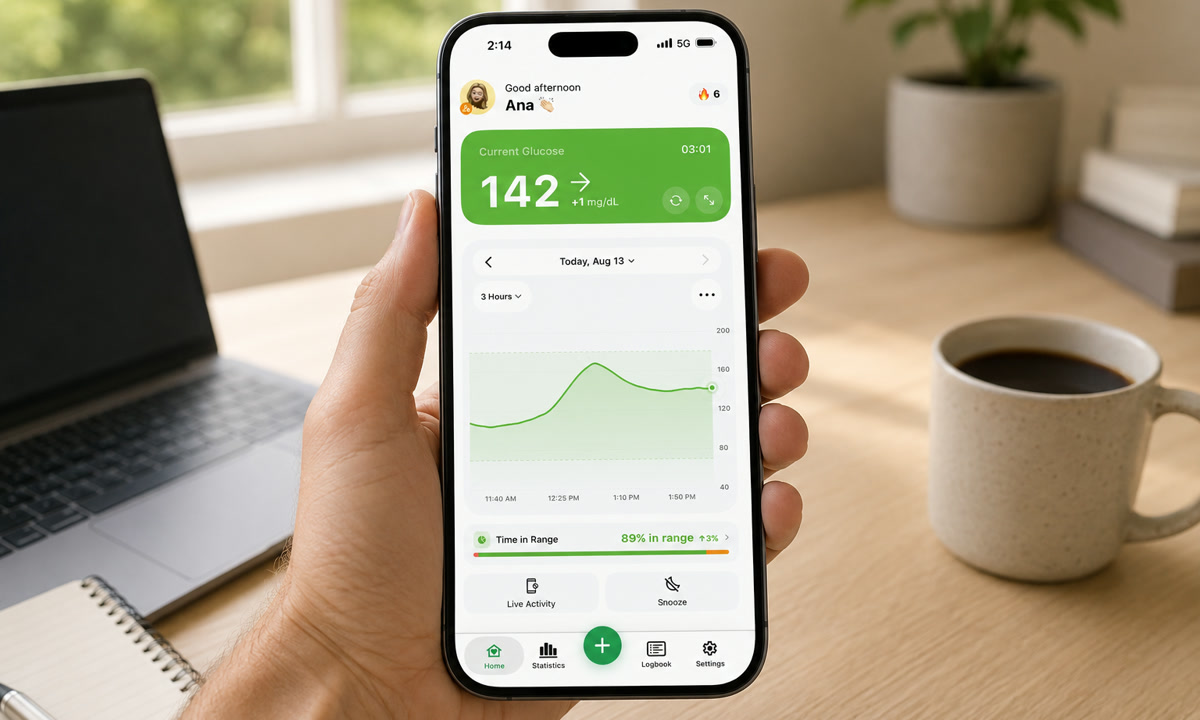
The number on your phone still says 142 mg/dL, and the timestamp underneath still says 27 minutes ago. You pull down to refresh. Nothing moves.
When LibreLinkUp is not working or not updating, the break is almost always on the wearer’s side, not yours. LibreLinkUp is a follower app. Abbott describes the chain in one sentence: the wearer’s FreeStyle Libre app receives glucose from the sensor and sends it to the LibreView cloud, and LibreLinkUp shows what arrived there. So check the wearer’s internet, how close their phone is to the sensor, and whether the share is still active.
Start with these five facts:
- LibreLinkUp never connects to the sensor directly. It reads what the wearer’s phone has already uploaded.
- No internet on the wearer’s phone means no new data for you, even though their own screen looks fine.
- “Signal loss” is a Bluetooth problem between the sensor and the wearer’s phone, and it shows on the wearer’s phone. Abbott’s FAQ says followers never receive that alarm. What you see is a number that stops refreshing.
- With both phones online, Abbott says followers generally see new data within seconds. A number that is minutes old means a hop is broken, not that the app is slow.
- If the wearer’s own app is also blank after the checks, the sensor itself may be finished or faulty.
On this page
Why is LibreLinkUp not working or not receiving data?
Every reading you see has already made four hops. A break at any one of them looks identical on your screen: a number that will not move. The sensor sends data to the wearer’s phone over Bluetooth, the wearer’s FreeStyle Libre app uploads it to Abbott’s LibreView cloud, your LibreLinkUp app pulls it down, and only then does the graph redraw. Abbott’s LibreLinkUp FAQ spells out the two conditions: both you and your connection need internet, and the wearer’s app has to be the one talking to the sensor.
Which sensor the wearer has changes what “talking to the sensor” means. With a FreeStyle Libre 3 or Libre 3 Plus, readings flow to you as long as the sensor is within Bluetooth range of the wearer’s app, no scanning needed. With a FreeStyle Libre 2 or the original Libre, you receive a reading each time the wearer scans with the phone app. A scan with the handheld reader never reaches you, because the reader has no internet connection.
Continuous glucose monitors are built this way on purpose: the sensor talks to one display device, and everything else downstream is a copy. The NIDDK’s overview of continuous glucose monitoring describes the same structure, with the wearer’s own receiver or phone as the device that holds the alarms.
The breaks people actually run into:
- The wearer lost internet. No Wi-Fi, no cellular data, no upload. Your view freezes on the last reading that made it through.
- The phone drifted out of Bluetooth range. Abbott puts the transmission range at 10 metres (33 ft) unobstructed, and walls shrink it. A phone left charging in the kitchen is out of reach.
- The wearer’s app is force-quit or restricted. If background activity is blocked or the app was swiped away, uploads pause.
- The share was paused, never accepted, or removed. The wearer’s app controls the list of followers.
- Warm-up or an ended sensor. A fresh sensor produces nothing during its warm-up window, and an expired one stops for good.
Work through these five checks in order
Most stale-data cases clear inside the first three steps. And the order matters. Checking your own phone before the wearer’s wastes the most time.
1. Look at the wearer’s Libre app
If the wearer’s app shows a current reading with a fresh timestamp, their side is doing its job and the delay sits between the cloud and your app. If their app is stuck too, stop here and fix that phone: internet on, phone near the sensor, app open and updating.
2. Test internet on both phones
Both ends need a working connection. Toggle Wi-Fi off and back on, or switch to cellular for a minute as a test. Hotel and airport networks that want a login page are the sneaky ones: the phone looks connected, and nothing actually reaches Abbott’s servers.
3. Force-close and reopen LibreLinkUp
The app refreshes when it opens and when you pull down on the graph. Close it fully, reopen it, then give it a minute before deciding it is broken. If the wearer’s app shows a fresh reading and yours still does not move after that, the problem is between the cloud and your phone, which the next two checks cover.
4. Confirm the share is still live
Have the wearer open their Libre app and go to the Navigation Menu, then Connected Apps, then Manage under LibreLinkUp. Your name should appear in the list of connections. Abbott’s rules for that list: the invitation is sent to your first name, surname and email address, and the email must be the same one you use in LibreLinkUp, while the names may differ. Invitations that were sent but never accepted deliver nothing at all. If the wearer tapped Stop Sharing, or deleted you by accident, the fix is a new invitation from their side, and the old connection does not come back on its own.
Two more rules from the same FAQ save people hours. Both accounts have to be registered in the same country or region, otherwise the invitation cannot connect at all. And reinstalling LibreLinkUp is safe: sign in to the same account and your connections are still there.
5. Sign out, sign in, update
If everything above looks right, log out of LibreLinkUp and log back in with the same account you accepted the invitation on. Update both apps in the app store on both phones as well, since older versions sometimes stop syncing after a server-side change. One account may be signed in on several phones, so a second phone in the family does not knock the first one off. Our FreeStyle Libre troubleshooting guide goes deeper on sensor-side errors.
Is LibreLinkUp down?
Sometimes every check passes on both phones and the data still stops. That is the moment to look at Abbott’s own FreeStyle Libre Server Status page before you touch another setting. It lists the LibreView and LibreLinkUp services and any incident in progress. If an incident is open, the fix is patience: readings resume on their own once the service recovers, and the graph refills with the wearer’s recent history.
The status page does not cover partner products, so a companion app that reads the same stream has its own page for its side of the chain. Sugar Sense publishes one at status.sugarsense.io. When Abbott’s page is green and the companion app’s page is green, the problem is back on one of the two phones.
Signal loss and stale data are not the same problem
A Signal Loss alarm is something the wearer sees, not you. Abbott’s UK troubleshooting guide defines it as the sensor not having communicated with the app for 20 minutes. Followers do not receive that alarm, so on your side the two problems look alike: a reading that stops refreshing. Stale data with no error on the wearer’s phone usually means the readings exist there but never reached the cloud. Different cause, different fix.
| What you see | Most likely cause | Who can fix it |
|---|---|---|
| Number frozen, timestamp minutes old, wearer’s app still fresh | Wearer’s phone offline, or their Libre app not running in the background | Wearer |
| Number frozen while the wearer’s phone shows Signal Loss | Phone out of Bluetooth range, Bluetooth off, or phone restarted without reconnecting | Wearer |
| Empty graph, no data at all | Invitation never accepted, share removed, or sensor still in warm-up | Wearer’s share settings |
| App spins, will not load anything | Your own phone’s connection or a stale login session | Follower |
| Short gap, then readings return on their own | Brief range or pressure interruption, then reconnection | Usually nobody |
Brief drops while the wearer sleeps on the sensor are common. They can also produce a dip that looks worse than reality: see what a compression low is and how to spot one.
Signal loss on the wearer’s Libre 3: the 20-minute rule
When the wearer’s phone shows Signal Loss, Abbott’s troubleshooting guide gives a short sequence: keep the phone within range of the sensor, turn Bluetooth off and back on, and if the alarm persists, contact Customer Service. Your follower screen simply waits through all of it. Once the sensor and phone reconnect, the upload resumes and your graph fills back in.
How fast should LibreLinkUp update?
Faster than most people assume. Abbott’s FAQ says that with internet on both sides, LibreLinkUp users generally see their connection’s glucose data within seconds. A Libre 3 sends a reading to the wearer’s phone every minute, so under normal conditions your number is at most a minute or two behind theirs. Minutes of lag are not the design. They are a hop running slow or broken, and the five checks above find which one.
Here is why even a small gap deserves respect. Say the wearer is drifting down at 2 mg/dL per minute and a hop is slow. Your follower screen may still be displaying the 8:02 value of 108 mg/dL when the clock says 8:05, while their own app already shows 102 mg/dL, so the person you are watching is several points below what you can see. Inside a target range of 70 to 180 mg/dL, which is the range the 2019 International Consensus on Time in Range set for most adults, that gap rarely matters. Near 70 mg/dL and falling, it does.
Which is why a follower view is for awareness, not for split-second calls. Abbott’s own FAQ says LibreLinkUp should not be used for treatment or dosing decisions, and the wearer’s own device and its built-in alarms stay the primary source. This is also the gap some companion apps try to close: Sugar Sense reads the same LibreLinkUp stream and marks any reading older than 15 minutes as stale instead of quietly showing a number that has stopped changing. “Is this current?” stops being a guess.
LibreLinkUp notifications not working
Data arriving but no alerts is a separate problem with its own checklist, and Abbott publishes it on its LibreLinkUp notifications page. Notifications are set per connection: open that person’s glucose graph in LibreLinkUp, tap the gear icon, and make sure notifications for them are on. If they are on and nothing arrives, the phone’s own notification settings for LibreLinkUp are the next stop. A phone set to vibrate only or Do Not Disturb will not play the sound. The app does not need to stay open, though: once you have signed in, notifications keep coming in the background.
Glucose alarms follow the wearer’s sensor. With a Libre 2, you receive the wearer’s own high and low alarms only if the wearer has enabled them in their app. With a Libre 3, you set LibreLinkUp’s own alarm thresholds for that connection. If the wearer started the sensor with a handheld reader instead of the app, Abbott says followers get no alarms at all until the next sensor is started with the app. And Abbott advises against iPhone’s Assistive Access mode and against requiring a passcode or Face ID to open the app, and on Android 15 against installing it in Private Space, because all of them can hold back the notifications.
When the problem is the sensor, not the settings
If the wearer’s app still shows nothing after you have confirmed internet, Bluetooth and range, no amount of tapping on your end will help. The chain is broken at the source.
Sensors run for a fixed wear period set by Abbott: 14 days for FreeStyle Libre 2 and Libre 3, 15 days for Libre 3 Plus, with details on Abbott’s FreeStyle Libre site. They also fail early sometimes. An edge lifts, a door frame catches the adhesive, or the sensor throws an error and ends itself. The wearer should start a replacement in their app or contact Abbott support, and expect a warm-up window with no readings before your follower view fills in again.
One habit that saves a lot of frantic messaging: agree in advance on what a long gap means. If the wearer knows to send a quick text when they change a sensor, nobody spends an hour troubleshooting an app that is working perfectly.
Frequently asked questions
Why am I not receiving data from the LibreLinkUp app?
Abbott’s own list has three causes: the wearer’s phone has no internet, the wearer has no active sensor or no recent scan (Libre 2 and the original Libre share on scans only), or a service interruption is stopping uploads to LibreView. Add the one Abbott leaves to the wearer, a share that was never accepted or was removed, and you have the whole list. Work through the five checks above in order and the status page last.
Is the LibreLinkUp app down?
Check Abbott’s FreeStyle Libre Server Status page, linked above. If it shows an incident on LibreView or LibreLinkUp, wait it out: readings resume and the recent history refills once the service recovers. If it is green, the problem is on one of the two phones.
Does LibreLinkUp need internet?
Yes, on both phones. Abbott’s FAQ is explicit that you and your connection both need internet connectivity to receive glucose data and notifications. Bluetooth alone moves data from the sensor to the wearer’s phone, never to yours.
Can I use LibreLinkUp on two phones?
Yes. Abbott’s FAQ says you can log in to your LibreLinkUp account on multiple phones, and a reinstalled app on the same account keeps its connections. A wearer can share with up to 20 followers, and a follower can watch up to 20 wearers.
Why does LibreLinkUp show a gap after a flight?
Because nothing was uploaded while one phone was offline. Once both phones are back online, Abbott says the graph repopulates with the last 12 hours of readings and the logbook with the last two weeks of alarm events, and you should see only the latest notification rather than a backlog. Our guide to traveling with a CGM covers airport security, time zones and heat as well.
Why is LibreLinkUp not updating when the wearer’s app works fine?
Usually one of three things: a share that was paused or removed, a connection problem on your own phone, or a service incident on Abbott’s side. Reopen LibreLinkUp, pull down to refresh, then ask the wearer to confirm you are still listed as an accepted connection.
Can LibreLinkUp show readings while the wearer’s phone is off?
No. With the phone powered down, out of data or too far from the sensor, nothing is uploaded, so you will see the last stored reading with an ageing timestamp until the phone comes back and reconnects.
How do I make LibreLinkUp refresh faster?
Opening the app and pulling down forces a fetch, and leaving notifications enabled keeps you informed between checks. Beyond that there is nothing to speed up: with both phones online, Abbott says the data arrives within seconds, so a slow feed points to a broken hop rather than a setting.
Are there other apps that show Libre data to family?
Several companion apps read the same LibreLinkUp connection and add widgets, watch faces and multi-caregiver sharing on top of it. Our guide to sharing FreeStyle Libre readings with family walks through how the invitations work and what each side sees.
This article explains how follower data moves and where it gets stuck. It is general education, not personal medical guidance. A companion app, LibreLinkUp included, sits downstream of the wearer’s CGM and its alarms, so treat that device as the real source and confirm anything urgent there first. Dose changes and treatment plans belong with your healthcare team, and our medical disclaimer spells out the rest.